Why Your Robot Mower Misses Grass and How to Optimize Its Cut
By Alexandre
.png&w=3840&q=75)
Why Your Robot Mower Misses Grass and How to Optimize Its Cut
The Myth of the Perfect Lawn from Day One
Robot mower advertisements all sell us the same idyllic image: a device moving silently over a uniformly flat lawn, worthy of the greatest golf courses. Yet, as daily users of these machines, we know that the reality of the first few weeks is often quite different.
It is very common to go out into your garden and find with frustration that the robot has left random clumps of grass, unfinished edges, or worse: long, thin strips of uncut grass standing in the middle of the lawn, a phenomenon the English-speaking community has aptly named the "Mohawk" effect.
Rest assured: your robot is not broken. Garden automation involves a learning curve. These cutting defects can be explained by specific physical and algorithmic phenomena that we will break down together. Most importantly, they can be corrected with a few judicious adjustments in your application.
Why is My Robot Leaving Clumps of Grass?
Before accusing your machine's artificial intelligence, you must understand the three main reasons that generate these missed mows.
1. The Paradox of Grass Flattened by Wheels
This is the number one culprit, often ignored. Before the cutting deck reaches a blade of grass, the robot's front wheels must pass over it. Robots are heavy, and their wheels flatten the grass against the ground. If the rotating blade lacks suction power (unlike a traditional gas mower that sucks the grass upwards before cutting it), the flattened grass passes under the blade without being sliced.
The next day, with the dew and the sun, this flattened blade of grass stands up proudly, giving the impression that the robot voluntarily avoided this area.
2. Overlap Error and the Mohawk Effect
For new generation robots operating by systematic navigation (traced in parallel lines via RTK or vision), setting the line spacing is crucial.
If your cutting deck is 22 cm wide, the software will naturally ask the robot to offset its trajectory by 22 cm on the next pass to optimize mowing time. However, the slightest GPS signal drift (even by one centimeter) will create a gap between the two passes. This is exactly what forms those famous straight lines of uncut grass.
3. Statistical Coverage of Random Robots
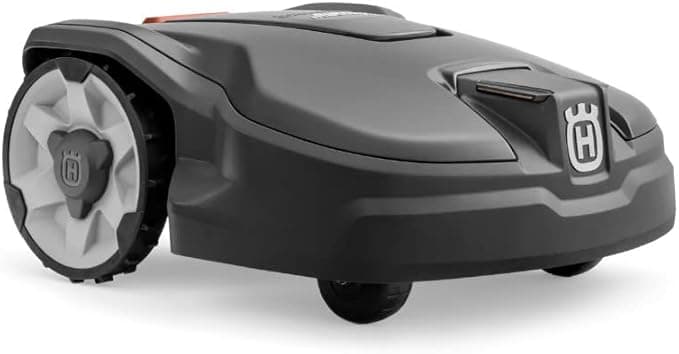
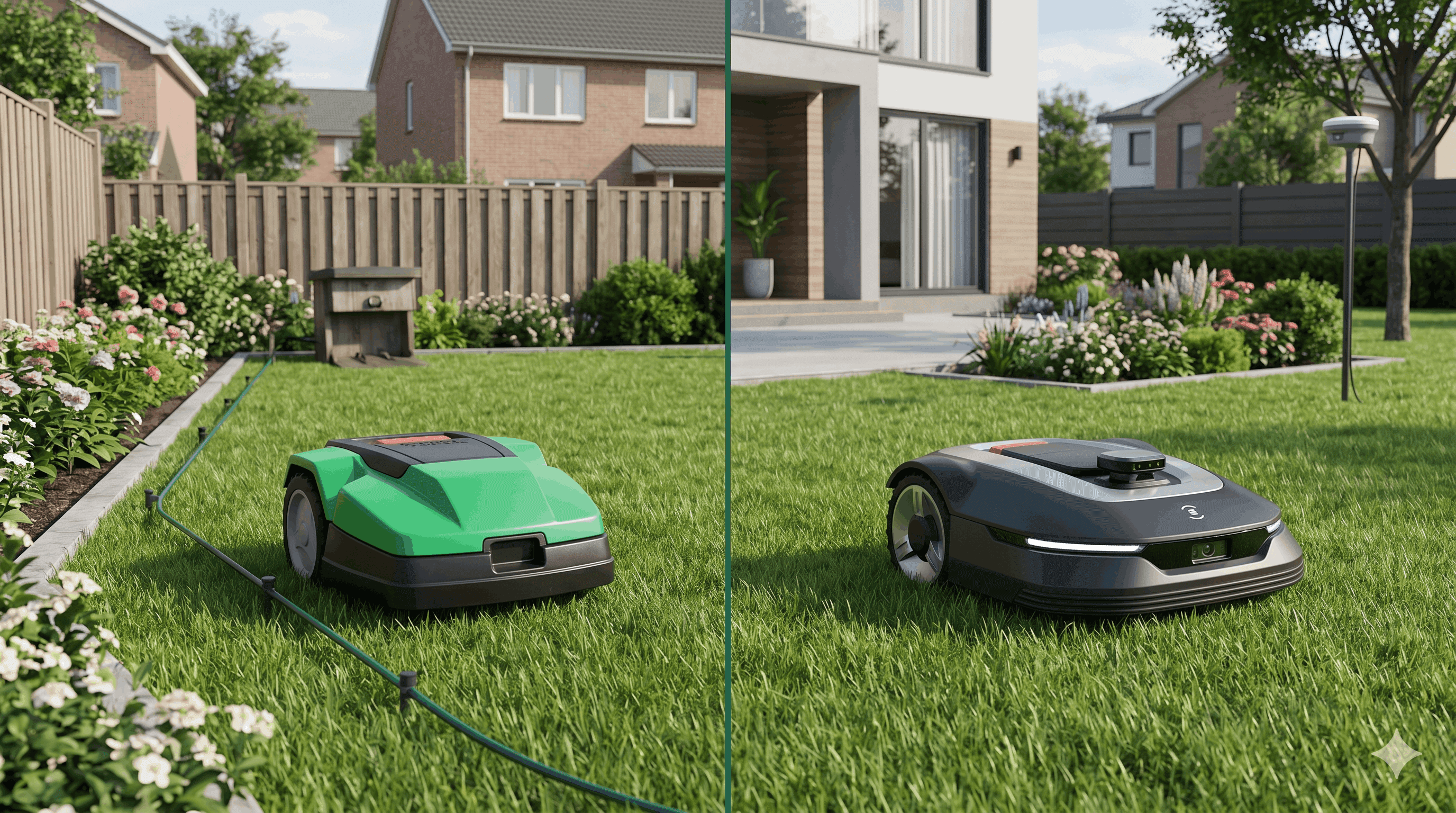
If you own a traditional boundary wire robot like the Automower 310 [cite: 2] or the Landroid M500 Plus [cite: 2], navigation is random. The robot doesn't "know" where it has been. It bounces off the wire. The promise of a complete mow relies on the law of probabilities: if it drives long enough, it will go everywhere. Uncut clumps simply mean its daily working time is programmed too short for the actual surface area of your garden.
How to Solve the Problem: Our Expert Settings
Now that the diagnosis is made, here are the corrective actions to apply directly in your robot mower's application to eradicate these unsightly traces.
Step-by-step guide
- 1
Step 1: Reduce cutting line spacing
In your app's navigation settings, look for the 'Path spacing' or 'Line spacing' option and reduce it by a few centimeters to force the robot to overlap its own tracks.
- 2
Step 2: Activate cross-mowing or checkerboard cut
Don't let your robot mow only along one axis (North-South). Alternate with an East-West axis. Some models offer a 'Checkerboard' mode that crosses trajectories at 90 degrees during the same cycle.
- 3
Step 3: Mow when the grass is dry
Wet grass clumps together, flattens easily under wheels, and rises very poorly. Avoid scheduling at dawn when dew is still present.
- 4
Step 4: Check and clean the housing
A housing cluttered with mud and dried grass disrupts airflow, preventing grass blades from standing up before the blades pass. Clean it at least once a month.
Info: Don't confuse an algorithm problem with dull blades. Worn blades no longer cut the grass but tear it, leaving a whitish and irregular appearance to your lawn.
Navigation Technologies That Leave No Trace
If you are in the buying phase and mowing uniformity is your number one criterion, be aware that some manufacturers have developed hardware and software workarounds to counter the "Mohawk" effect.
Millimeter precision of LiDAR for flawless overlapping

Dreame A1 Pro LiDAR
Precise 3D LiDAR navigation...
- Ultra-precise OmniSense LiDAR navigation (works without GPS or light)
- fast 3D mapping
- sleek design.
- The top-mounted LiDAR dome is exposed to very low-hanging branches
- premium price tag.
Affiliate link. Same price for you.
The Dreame A1 Pro LiDAR [cite: 1] stands out particularly on this point. Unlike RTK GPS which can suffer from micro-drifts as satellites move, the LiDAR scanner maps the physical elements of your garden in 3D. This technology offers absolute millimeter localization. The robot can thus be set to apply aggressive overlapping of its passes, ensuring that no grass ridge survives, even in the heart of a complex 2000 m² terrain [cite: 1].
Another relevant approach is hybrid navigation.
Segway Navimow i105E
Pros
- Combination of RTK and Vision Camera
- Perfectly handles edges thanks to AI
- Very rich app for overlap settings
Cons
- Sensitive to mud on the camera lens
- Less performing in night mowing
The Segway Navimow i105E [cite: 1] uses artificial intelligence coupled with its EFLS camera to visually identify the boundaries between cut grass and uncut grass. Instead of relying solely on virtual satellite coordinates, the robot "looks" at its environment to adjust its trajectory in real-time and erase its own tracks.
Comparison: Random Wired vs. Systematic Wireless
The machine's behavior and the type of traces left differ totally depending on the onboard guidance technology.
Mowing Behavior Comparison
 |  | |
|---|---|---|
| Max area | 1000 m² | 2000 m² |
| Max slope | 40% | 45% |
| Wire-free | ||
| GPS / RTK | ||
| Cut-to-Edge | ||
| App control | ||
| Check price | Check price |
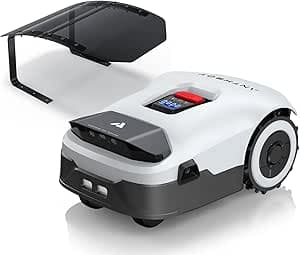
In this table, the Automower 310 [cite: 2] will flatten the grass in all directions, which generally masks wheel tracks in the long term, although the initial result may look messy. Conversely, the ANTHBOT Genie1000 [cite: 1] will offer beautiful straight lines, but will require the activation of a cross-cut to manage grass flattened in the direction of its pass.
Managing Edges: The Universal Weak Point
It would be dishonest not to address the issue of edges. This is where all robots, from the entry-level model to the technological gem costing several thousand euros, will leave grass.
Since the cutting disc is located under the chassis for obvious safety reasons (to prevent a foot from coming into contact with the blades), there is always a margin of a few centimeters between the robot's outer shell and the blade's range of action.
If your lawn hits a stone wall or a solid fence, the robot will bump into it (or stop just in front) and will inevitably leave a 10 to 15 cm strip. The only lasting solution is not software, but landscaping: creating a flat border (in pavers, bricks, or slabs) at ground level. If you set up a 15 cm wide sterile strip around your walls, the robot will be able to drive over it to cut the grass up to the exact limit of the lawn.
Warning: On a boundary wire model, ensure that the distance between the wire and the obstacle scrupulously respects the gauge provided by the manufacturer to optimize edge cutting.
Frequently Asked Questions about Mowing Defects (FAQ)
Frequently Asked Questions
Why does my robot leave small triangles of grass near obstacles?
Should I use a manual grass trimmer as a supplement?
My wire robot leaves clumps in the center of the garden, is it defective?
Is it useful to change the blade rotation direction?
Conclusion: Perfection is a Matter of Settings
Owning a robot mower does not dispense you from observing your garden. The machine is a tireless worker, but you remain the conductor.
Rebel grass strips, the Mohawk effect, or neglected edges are not inevitable, but simple signals indicating that the machine needs to be better calibrated to the reality of your terrain. By playing with mowing angles, line spacing, and keeping your blades sharp, you will achieve that famous dense and perfect lawn that will be the admiration of your neighborhood.
And you, what is the setting tip that changed everything for your robot's cutting quality? Share your settings in the comments to help the community!
Need a smarter robot for your lawn?
Our simulator takes into account the complexity of your edges to recommend the robot offering the best mowing coverage
Read also
.png&w=3840&q=75)
May 19, 2026
Small Urban Gardens: Which Wire-Free Robot Mower to Choose in 2026?
High walls, narrow paths, and a patio taking up half the garden. Urban lawns are the hardest terrain for robot mowers. Here is which navigation technology actually works when the sky is blocked.
May 5, 2026
Replacing Your Boundary Wire Robot Mower with a Wire-Free Model: The Transition Guide
The installation took a full weekend and cost 200 euros. Three years later you have repaired the wire four times. Here is how to move to a wire-free model without repeating the same headache.
.png&w=3840&q=75)
May 3, 2026
Winterising and Maintenance: 5 Steps to Double the Lifespan of Your Robot Mower
Most robot mower failures do not happen during the mowing season. They happen after a bad winter storage. Here is how to avoid the most costly mistakes.